Isolated review moments
Objectives and review outcomes can become disconnected from the ongoing work and conversations that follow.
Platform capability / Performance Development
KnowHow Performance Development helps organisations connect objectives, reviews, feedback and development actions through an ongoing performance process.
The performance challenge
When objectives, feedback and development actions sit in separate processes, it becomes harder for employees and managers to keep the full development context visible.
Objectives and review outcomes can become disconnected from the ongoing work and conversations that follow.
Employees and managers need a clearer way to bring structured feedback and development conversations into context.
Needs identified during a review are more valuable when they can become visible development actions rather than isolated notes.
A connected performance journey
KnowHow can connect the stages used to establish expectations, discuss progress, review performance and direct development activity.
Establish objectives, KPIs and the expectations that matter for the review cycle.
Keep performance and development conversations visible through the cycle.
Bring objectives, competencies and relevant inputs together for structured review.
Use the review conversation to surface capability, coaching and learning needs.
Carry agreed development actions into the wider development journey.
The review experience
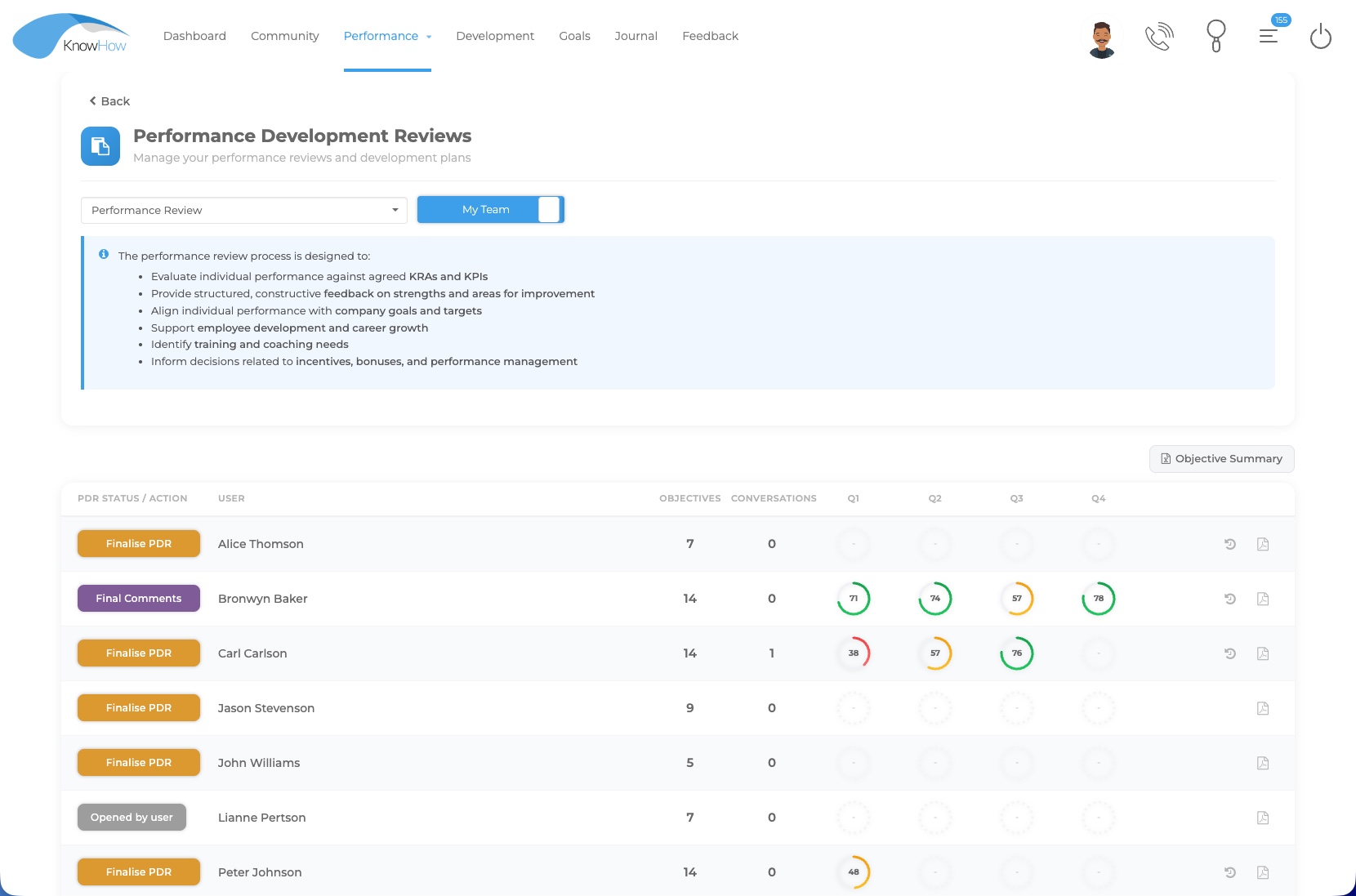
KnowHow Performance Development can give employees and managers a shared view of the review cycle, objectives and progress while keeping development in view. The process can be configured around the organisation’s forms, questions, timing and participation model.
Objectives, KRAs & KPIs
Objectives and KPIs can be created or assigned according to the configured process, with KRAs used to group related measures and weighting or score calculation applied where required by the approved framework.
Bulk assign KPIs by department, job role or other user/custom-field criteria.
Group related KPIs beneath the key result areas that matter to the organisation.
Support basic or weighted scoring approaches according to the configured framework.
Use quarterly or other phase ratings to make progress and performance trends easier to follow.
Designed around the manager role
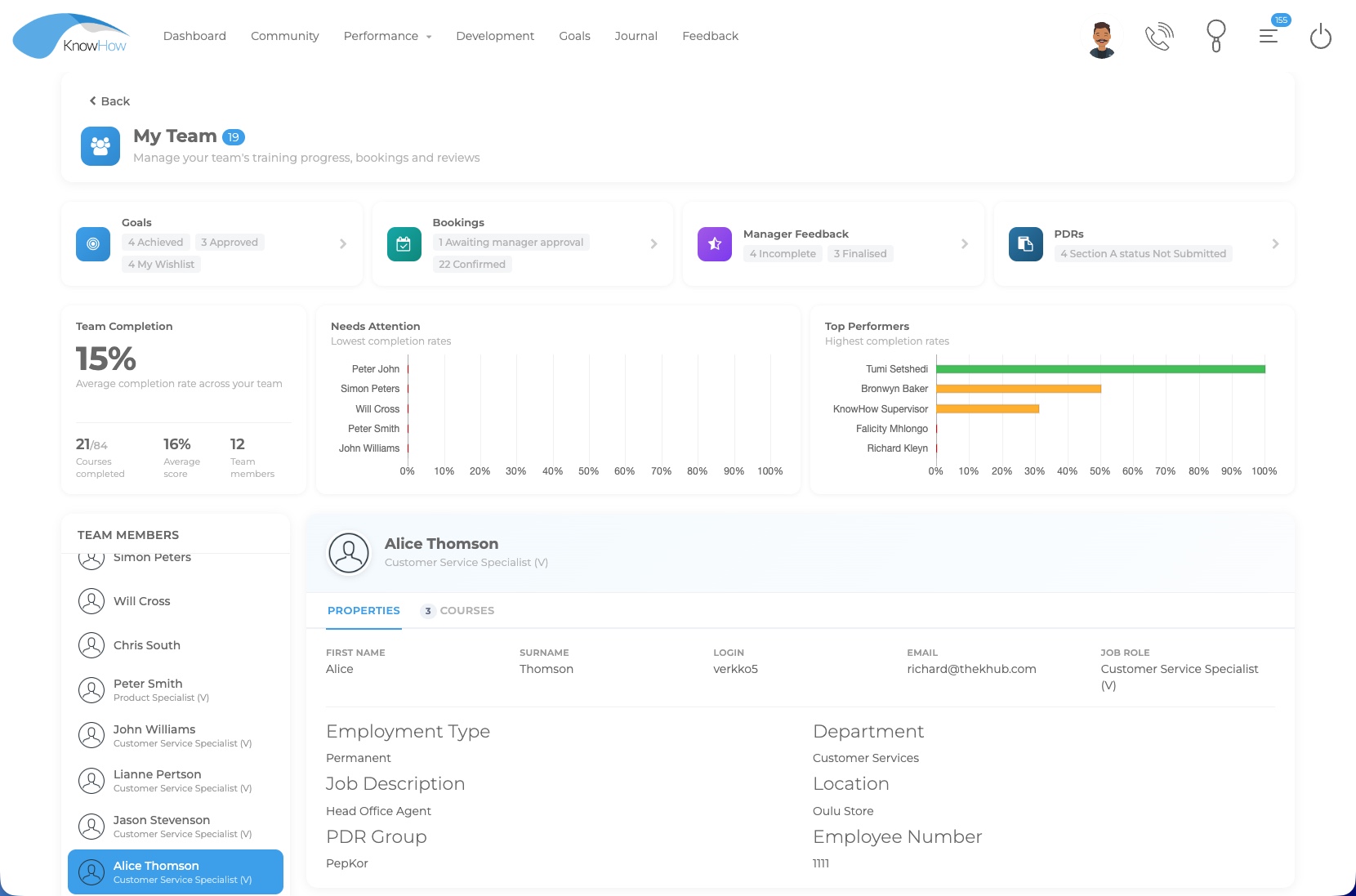
Manager views can bring goals, feedback, performance reviews, learning activity and team information into one experience relevant to the role, while review status and history support practical follow-up.
See team activityMove from individual records to a practical team-level view.
Follow review actionsKeep incomplete or upcoming performance activity visible.
Connect developmentUse the wider platform to support learning and development actions after the conversation.
Competencies, feedback & conversations
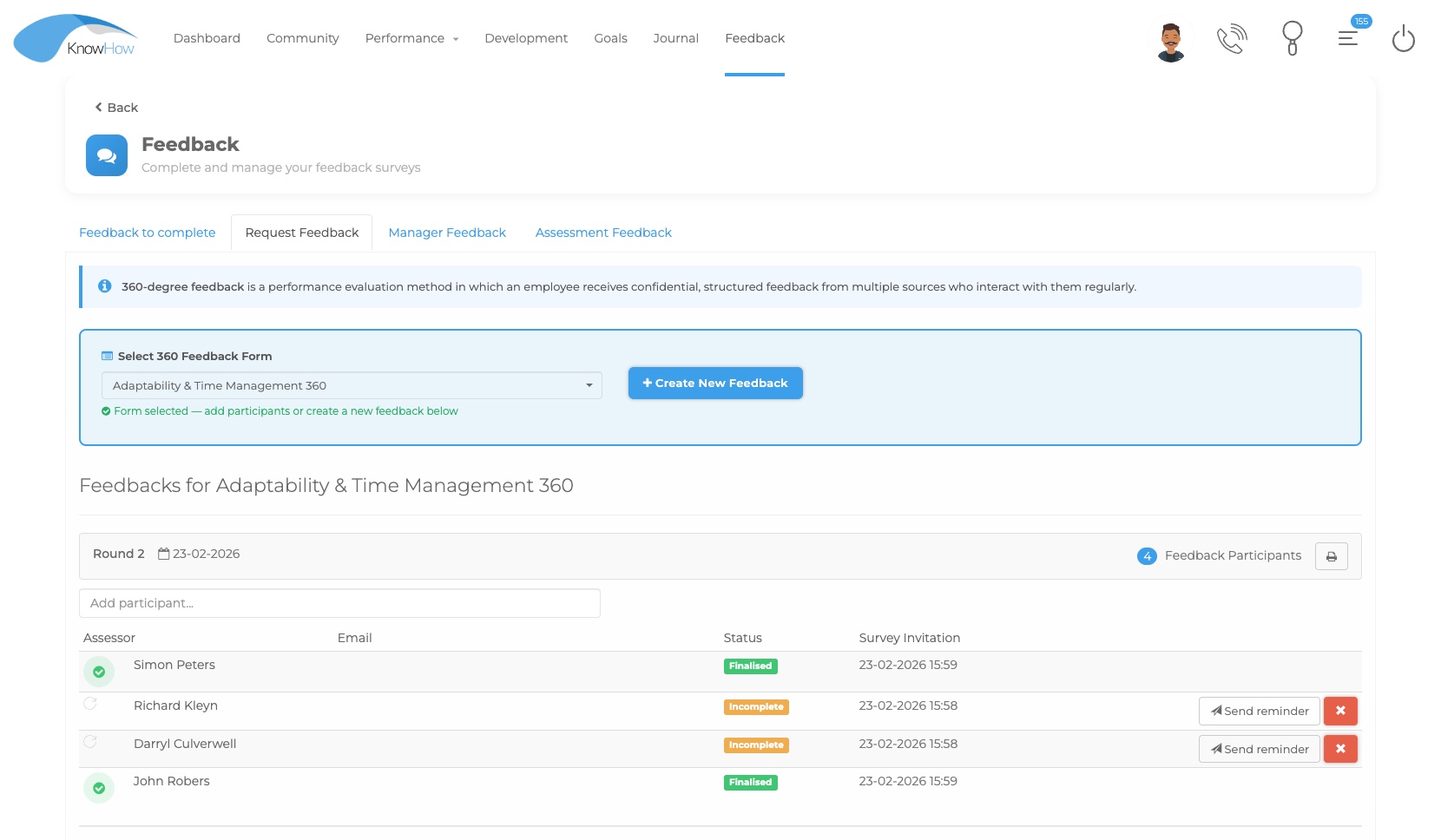
Performance Development can combine behavioural competencies, selected feedback inputs and time-stamped conversation records so that the formal review is supported by a clearer development history.
Define competency criteria, levels and descriptors aligned to the organisation’s framework.
Invite managers, peers, employees or other selected assessors to provide structured feedback where configured.
Keep time-stamped employee and manager entries as a visible record of progress, feedback and check-ins.
Record actions, training needs and development priorities within or alongside the review.
Configured around the review process
Specific client frameworks, calculations, dashboards and workflows remain configurable, while the underlying Performance Development capability supports the review mechanics below.
Create or assign objectives and KPIs, group related measures into KRAs and apply the configured weighting approach.
Use different forms, questions, schedules and role visibility for different employee populations or review cycles.
Configure multi-stage processes such as Start, Continue and Finalise, quarterly cycles or other review structures.
Support basic or weighted scoring and phase-based ratings according to the organisation’s approved framework.
Configure submission, sign-off, acceptance and reminders so participants know what needs to happen next.
Use rollback or reassignment controls where configured, together with control grids, review status and review history.
From review to development
The wider KnowHow platform can connect development needs to learning, coaching or other actions so that the review becomes part of an ongoing development journey.
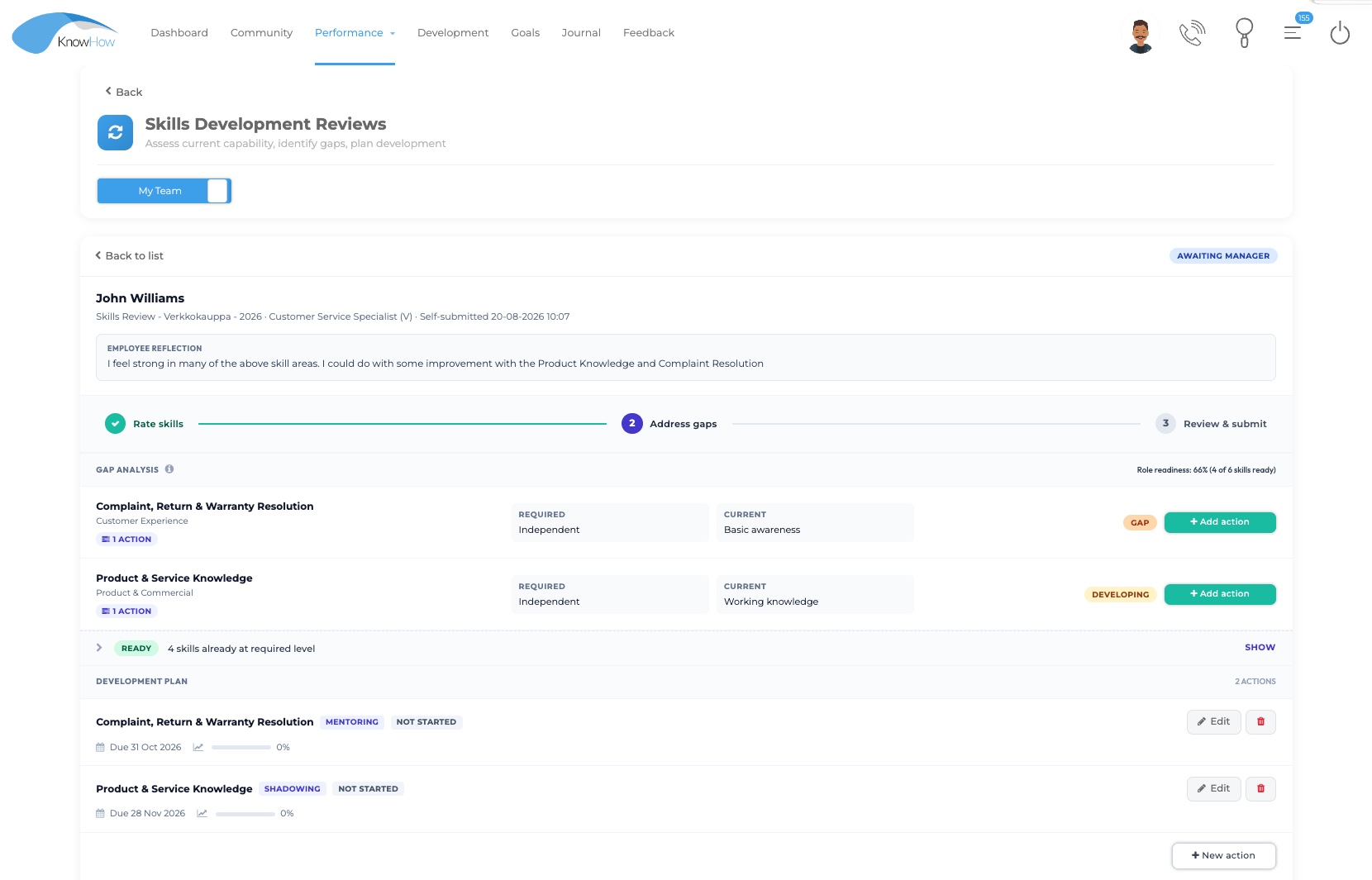
Use the review or skills conversation to make development needs visible.
Direct learning, coaching, shadowing or another development activity where appropriate.
Keep agreed actions visible for follow-up rather than leaving them in the review record alone.
Performance in context
Performance Development can operate as a structured review process, while the wider KnowHow platform helps connect the development activity that follows.
LEARN
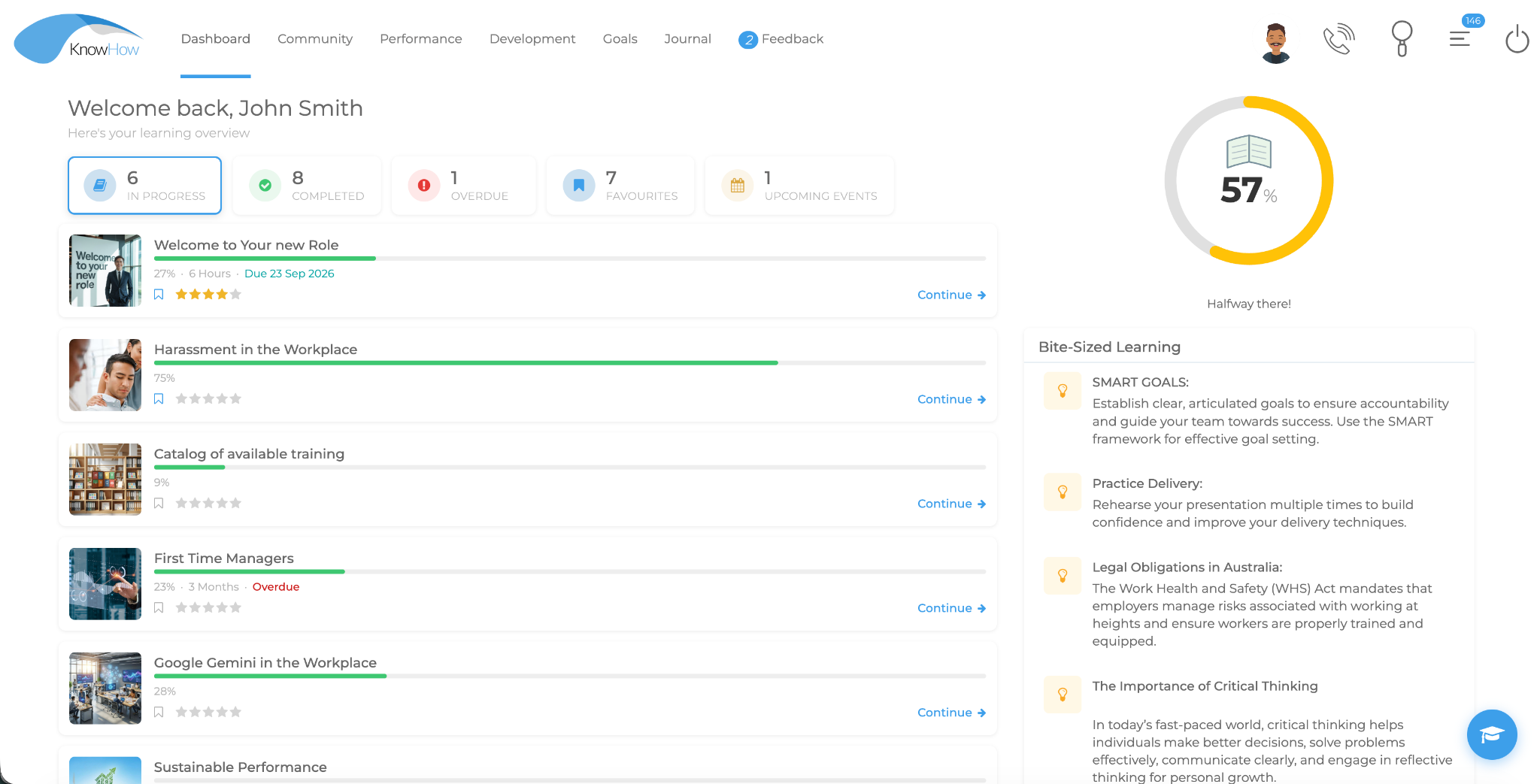
Direct relevant learning and development activity after a review or development conversation.
Explore Learning →DEVELOP
Connect role requirements and capability gaps to the development plan.
Explore Skills →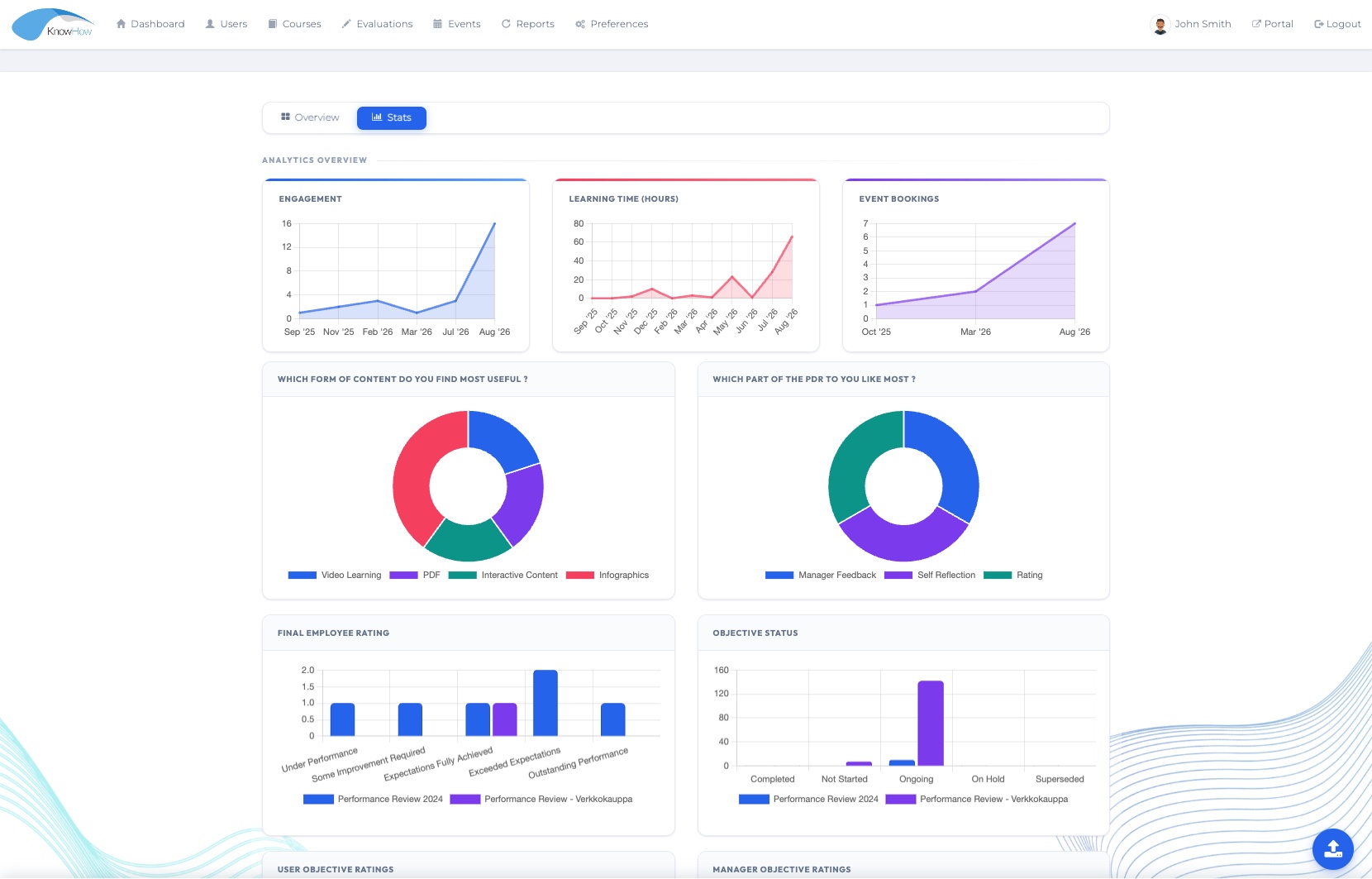
UNDERSTAND
Bring performance and development activity into a broader organisational view.
Explore Insight →Designed for practical performance development
See Performance Development in your context
We’ll tailor the conversation around your review structure, roles, workflow, feedback requirements and the development activity that should follow.