Disconnected processes
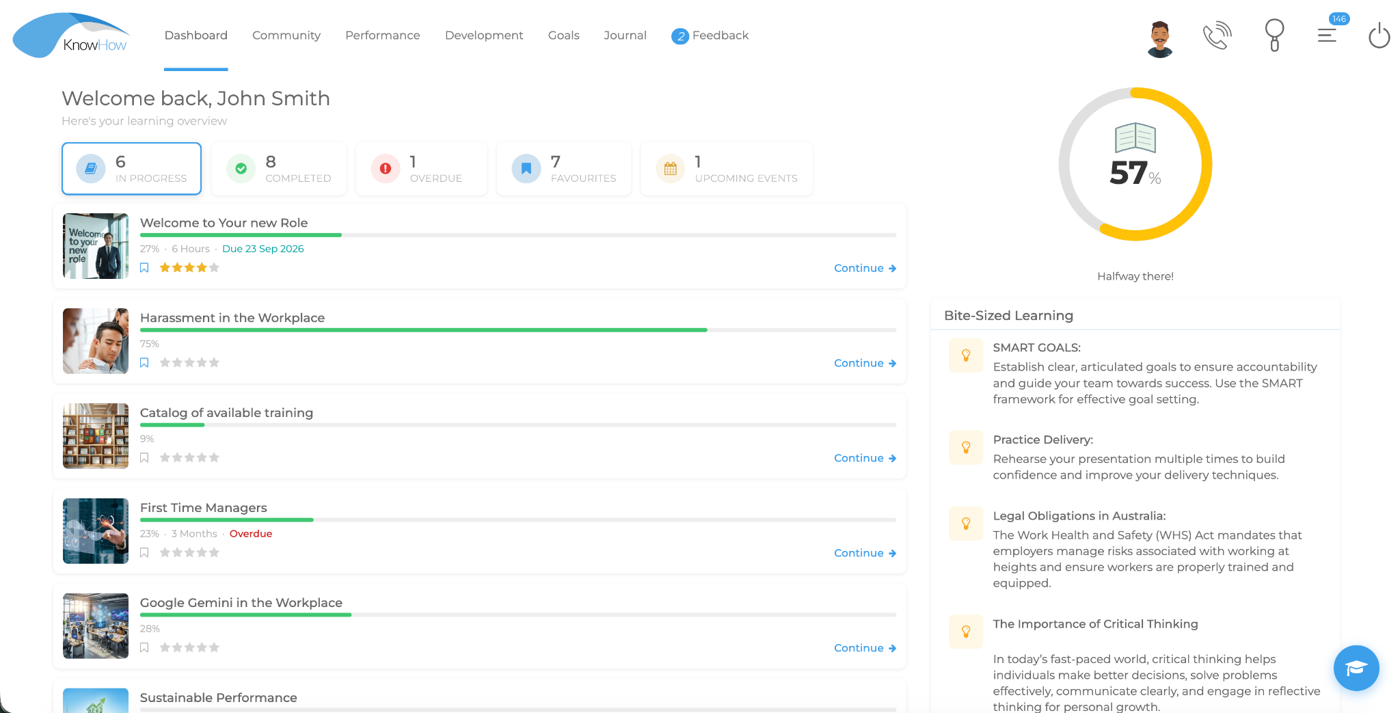
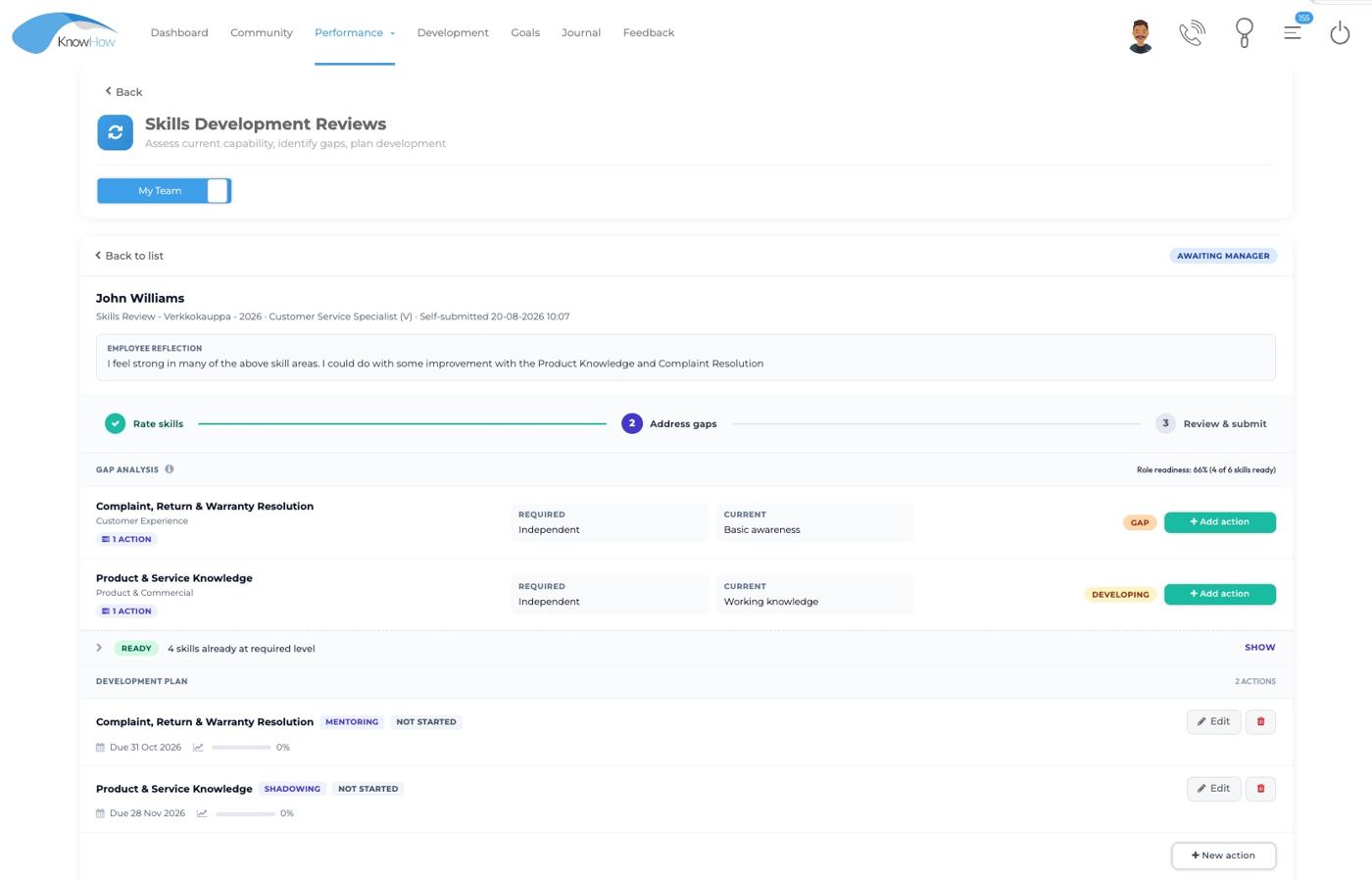
Learning, reviews, skills and development actions can become separate journeys with duplicated administration and limited context.
Why KnowHow
KnowHow brings learning, performance, skills and development into one configurable platform, giving organisations the flexibility to start with the priorities that matter now and connect more as their needs evolve.
Problem before platform
Feature breadth matters, but it is not the starting point. The stronger question is whether the platform helps reduce fragmentation, fits the operating model and gives people a clearer way to participate in development.
Learning, reviews, skills and development actions can become separate journeys with duplicated administration and limited context.
Software creates friction when roles, structures, permissions and workflows cannot reflect how the organisation actually works.
Begin with the capabilities and setup you need now, with configuration, administrator enablement and ongoing support available as your requirements evolve.
Five practical reasons
The case is not “more features”. It is the combination of connection, fit, role experience, controlled innovation and practical delivery.
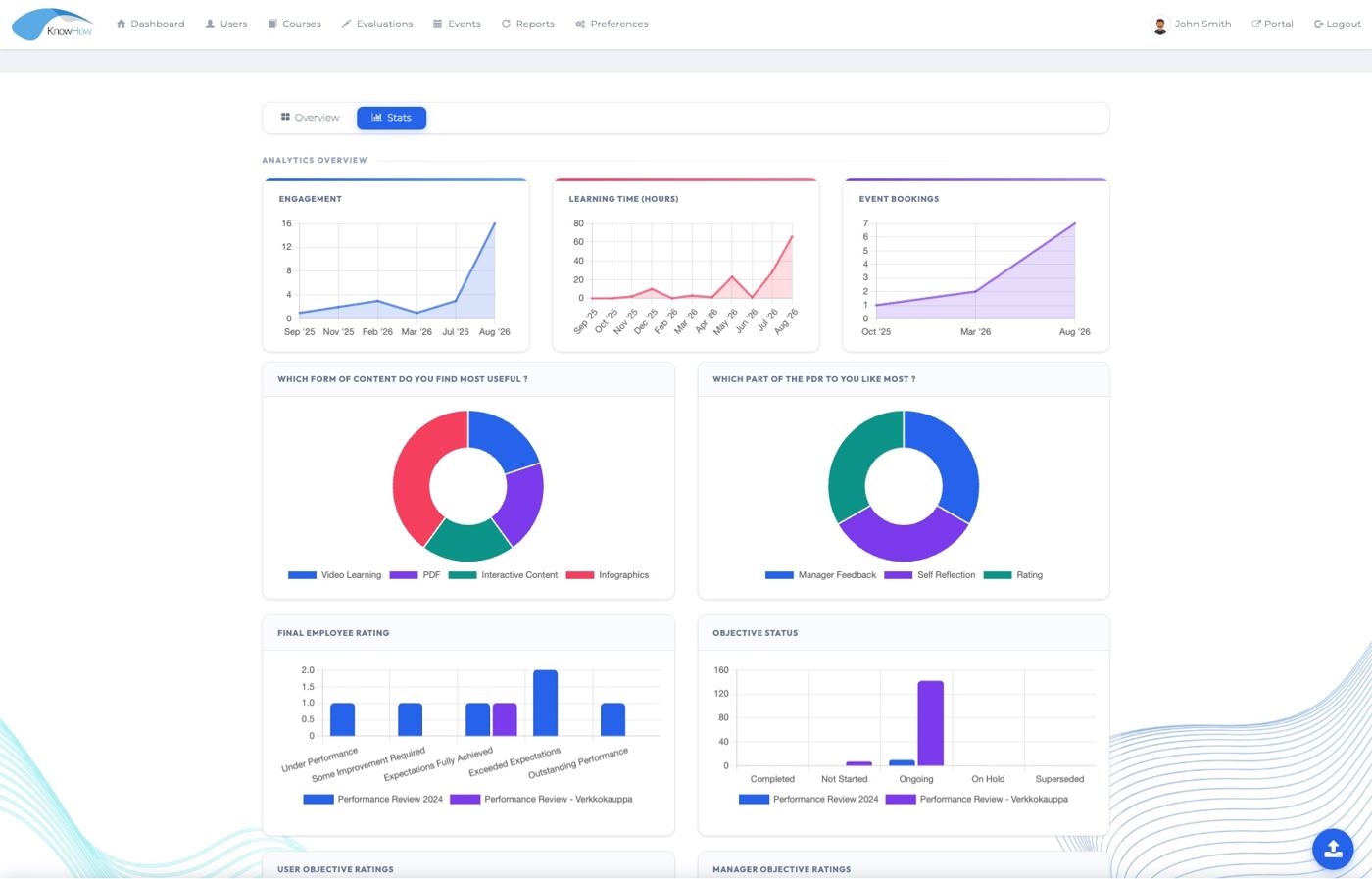
Learning, performance, skills, events, assessments and reporting can work together rather than operating as isolated processes.
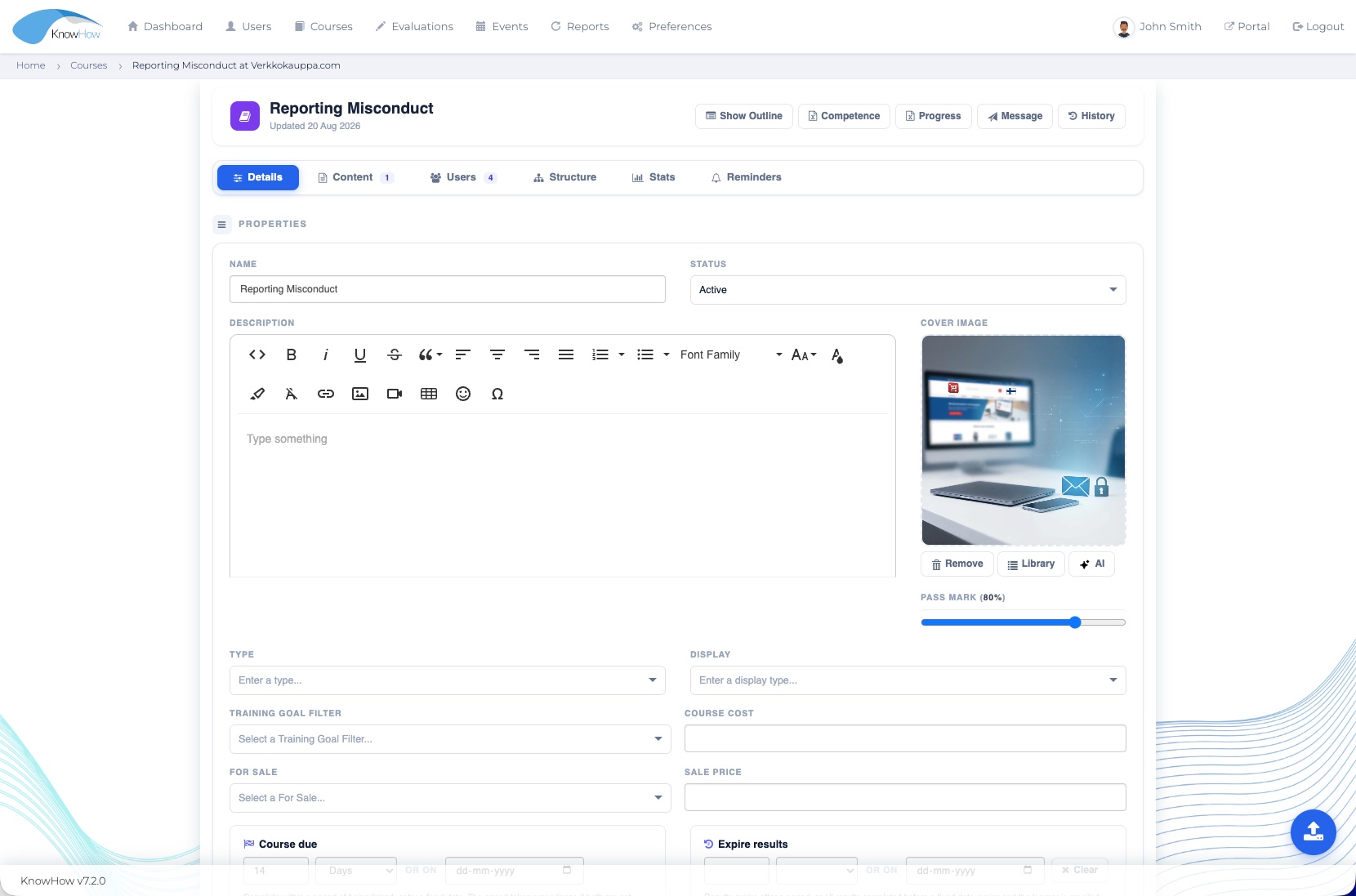
Structures, roles, permissions, workflows, fields, branding and reporting can be configured within the agreed solution scope.
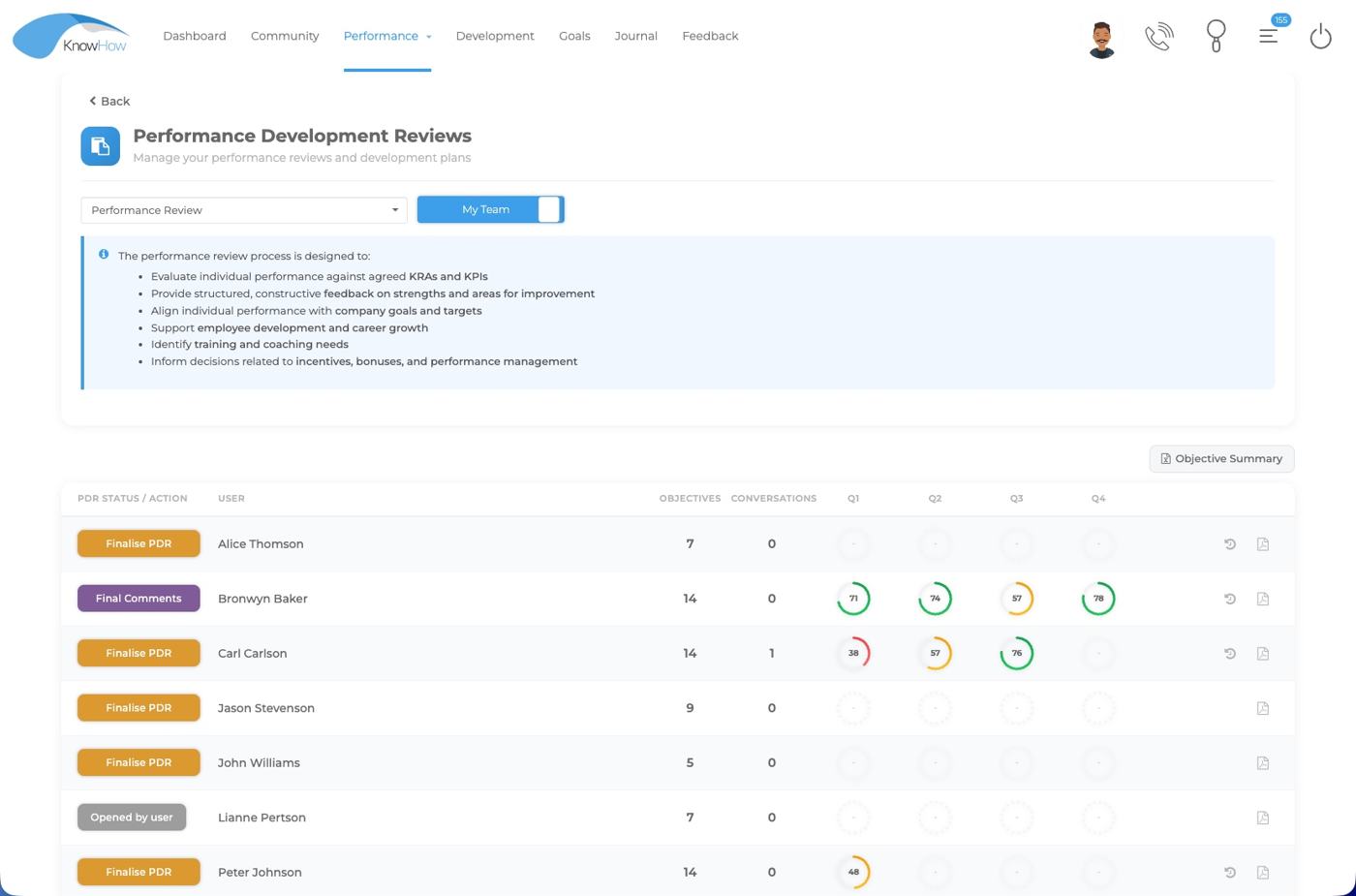
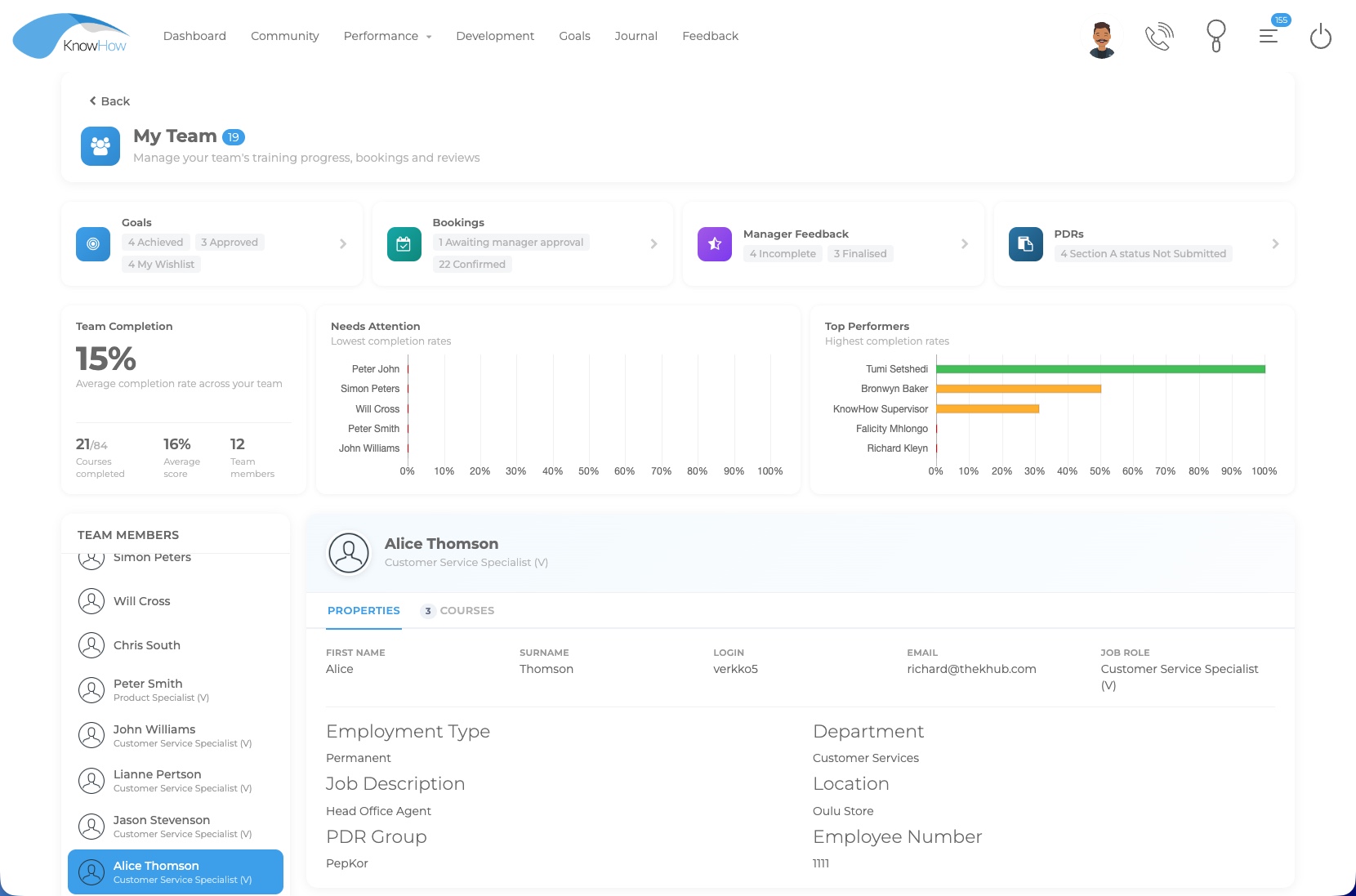
Employees, managers, HR/L&D, administrators and leaders can work from different views of the same connected environment.
Authorised administrators can use AI-assisted creation and conversion while retaining review, editing and publication control.
Discovery, configuration, training, deployment and ongoing Customer Experience support provide continuity beyond software access.
Human-centred by role
KnowHow is designed so different people can participate without everyone needing to navigate the same administrative detail.
Access relevant learning, reviews, feedback and development opportunities in one place.
Support development conversations and gain relevant visibility into team learning and capability.
Manage programmes, structures and development activity with clearer organisational context.
Configure users, content, assignments, permissions, workflows and reporting within the agreed model.
Use reporting tailored to leadership needs to understand progress and development priorities without navigating operational detail.
Configurable fit
KnowHow can align organisational structures, user roles, permission profiles, custom fields and workflows to the way your organisation works. Start with the configuration you need now and add deeper integration or specialist requirements where they create value.
Partnership beyond go-live
Start with a focused rollout or connect more of the platform from the outset. KnowHow can provide the configuration, enablement and ongoing support appropriate to your organisation.
Clarify the priorities, people and operating context that matter to the first phase.
Set up the selected capabilities, structures and workflows around the organisation.
Prepare administrators and users for a confident start.
Provide ongoing Customer Experience support and evolve the implementation as needs change.
Evidence from practical delivery
Long-term delivery experience, supported learner populations and a documented technical foundation provide practical points of reference when evaluating KnowHow.
KnowHow supports clients throughout the implementation journey — from understanding requirements and configuring the platform, through administrator training and deployment, to responsive reporting, administration and ongoing client support. This end-to-end approach helps organisations move from requirements to practical day-to-day use, with experienced support available throughout the relationship.
A more useful demonstration
A tailored demonstration should start with what the organisation is trying to improve or connect. From there, KnowHow can show the smallest relevant set of workflows, role experiences and supporting capability.
 Book a demo
Why KnowHow
KnowHow brings learning, performance, skills and development into one configurable platform, giving organisations the flexibility to start with the priorities that matter now and connect more as their needs evolve.
Problem before platform
Feature breadth matters, but it is not the starting point. The stronger question is whether the platform helps reduce fragmentation, fits the operating model and gives people a clearer way to participate in development.
Learning, reviews, skills and development actions can become separate journeys with duplicated administration and limited context.
Software creates friction when roles, structures, permissions and workflows cannot reflect how the organisation actually works.
Begin with the capabilities and setup you need now, with configuration, administrator enablement and ongoing support available as your requirements evolve.
Five practical reasons
The case is not “more features”. It is the combination of connection, fit, role experience, controlled innovation and practical delivery.
Learning, performance, skills, events, assessments and reporting can work together rather than operating as isolated processes.
Structures, roles, permissions, workflows, fields, branding and reporting can be configured within the agreed solution scope.
Employees, managers, HR/L&D, administrators and leaders can work from different views of the same connected environment.
Authorised administrators can use AI-assisted creation and conversion while retaining review, editing and publication control.
Discovery, configuration, training, deployment and ongoing Customer Experience support provide continuity beyond software access.
Human-centred by role
KnowHow is designed so different people can participate without everyone needing to navigate the same administrative detail.
Access relevant learning, reviews, feedback and development opportunities in one place.
Support development conversations and gain relevant visibility into team learning and capability.
Manage programmes, structures and development activity with clearer organisational context.
Configure users, content, assignments, permissions, workflows and reporting within the agreed model.
Use reporting tailored to leadership needs to understand progress and development priorities without navigating operational detail.
Configurable fit
KnowHow can align organisational structures, user roles, permission profiles, custom fields and workflows to the way your organisation works. Start with the configuration you need now and add deeper integration or specialist requirements where they create value.
Partnership beyond go-live
Start with a focused rollout or connect more of the platform from the outset. KnowHow can provide the configuration, enablement and ongoing support appropriate to your organisation.
Clarify the priorities, people and operating context that matter to the first phase.
Set up the selected capabilities, structures and workflows around the organisation.
Prepare administrators and users for a confident start.
Provide ongoing Customer Experience support and evolve the implementation as needs change.
Evidence from practical delivery
Long-term delivery experience, supported learner populations and a documented technical foundation provide practical points of reference when evaluating KnowHow.
KnowHow supports clients throughout the implementation journey — from understanding requirements and configuring the platform, through administrator training and deployment, to responsive reporting, administration and ongoing client support. This end-to-end approach helps organisations move from requirements to practical day-to-day use, with experienced support available throughout the relationship.
A more useful demonstration
A tailored demonstration should start with what the organisation is trying to improve or connect. From there, KnowHow can show the smallest relevant set of workflows, role experiences and supporting capability.