Solutions built around organisational needs
Organisations rarely begin with a feature list. They begin with a need — to onboard people consistently, strengthen performance, manage compliance, build capability or make development easier to coordinate. KnowHow brings the relevant capabilities together in one configurable environment.
Six common starting points
Choose the need that is closest to your current priority. Each solution can draw on multiple parts of the KnowHow platform — without creating another disconnected system.
Designed for organisational complexity
KnowHow can be configured around different business units, regions, reporting lines, permission profiles and local learning priorities while keeping the wider development environment connected. Exact structures, integrations and governance are confirmed during discovery.
Solution explorer
Select a starting point to see the organisational challenge, the practical response and the existing KnowHow capabilities that can support it.
When onboarding is fragmented across emails, documents and informal handovers, consistency and visibility become difficult to maintain.
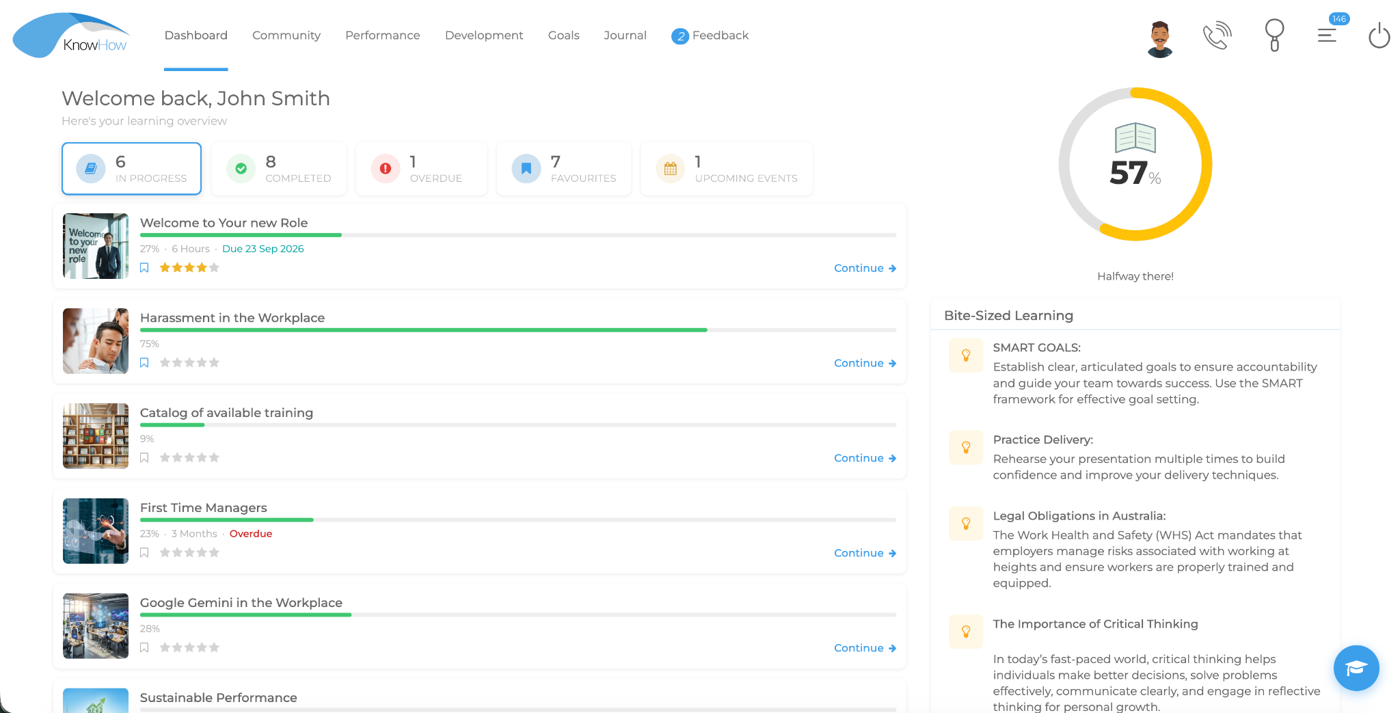
Learning becomes more useful when employees, managers and development teams can connect activity to roles, goals and ongoing development priorities.
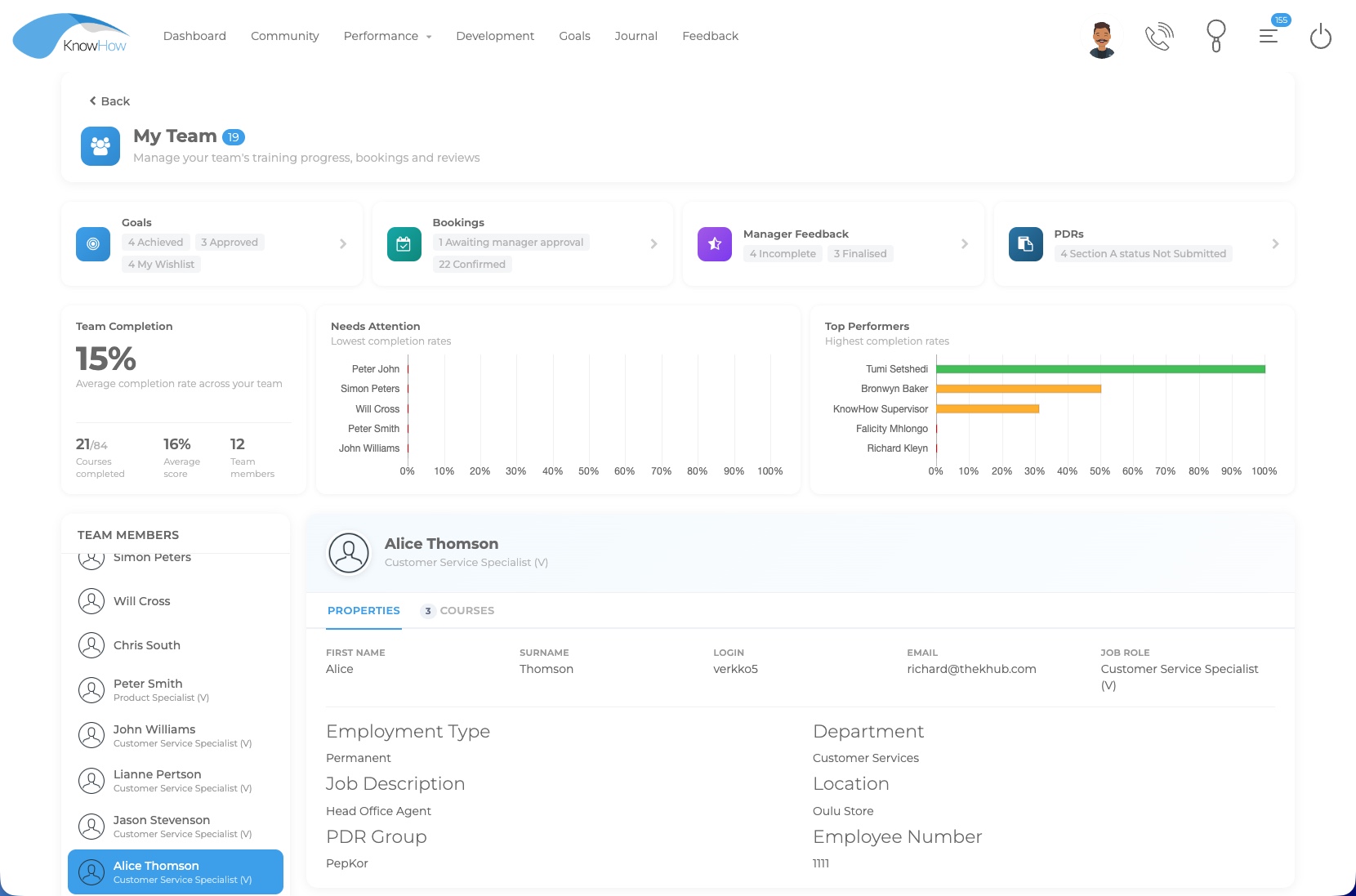
Compliance programmes need more than content delivery. They also need targeting, assessment, completion visibility, evidence and reliable administration.
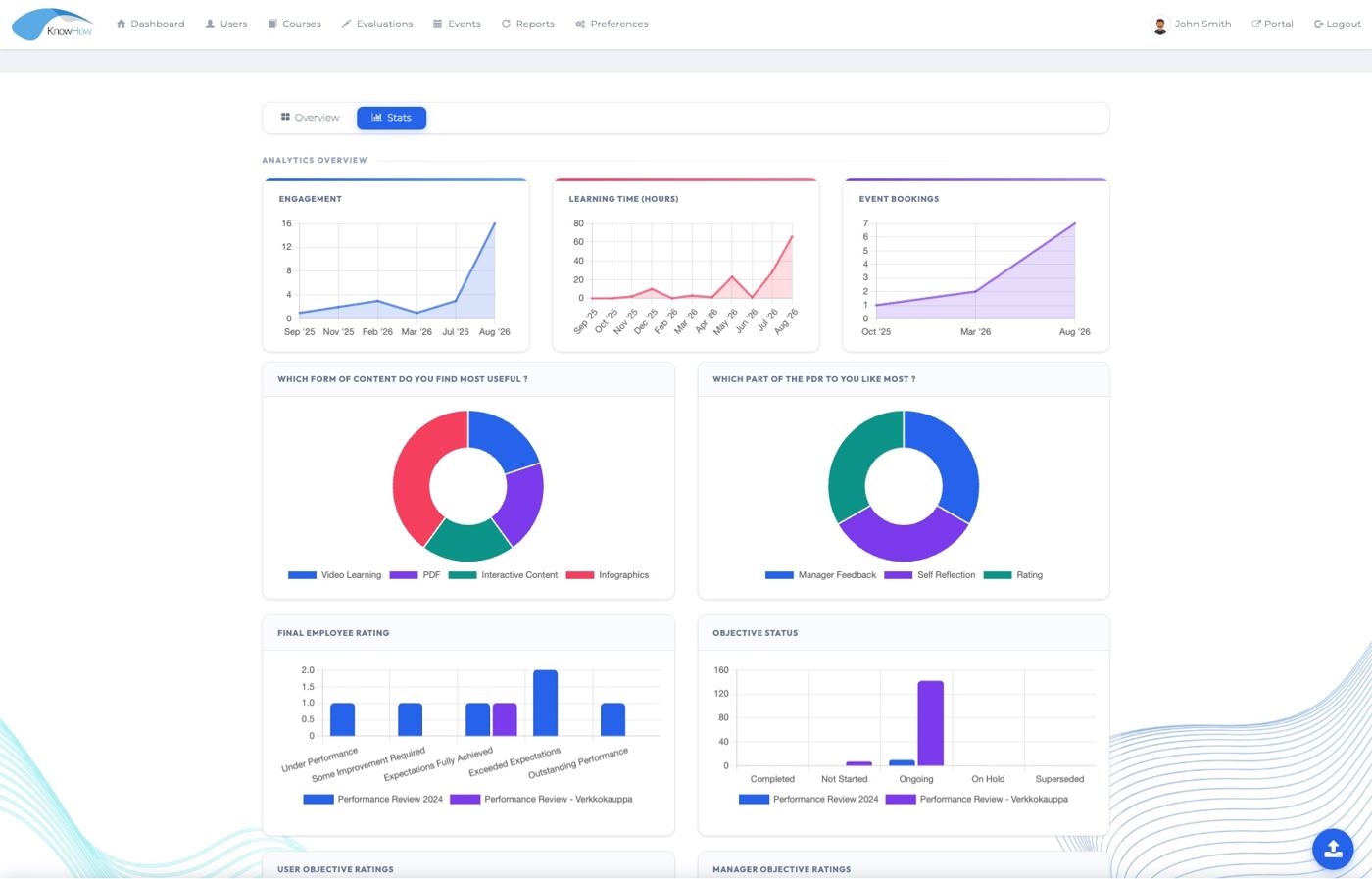
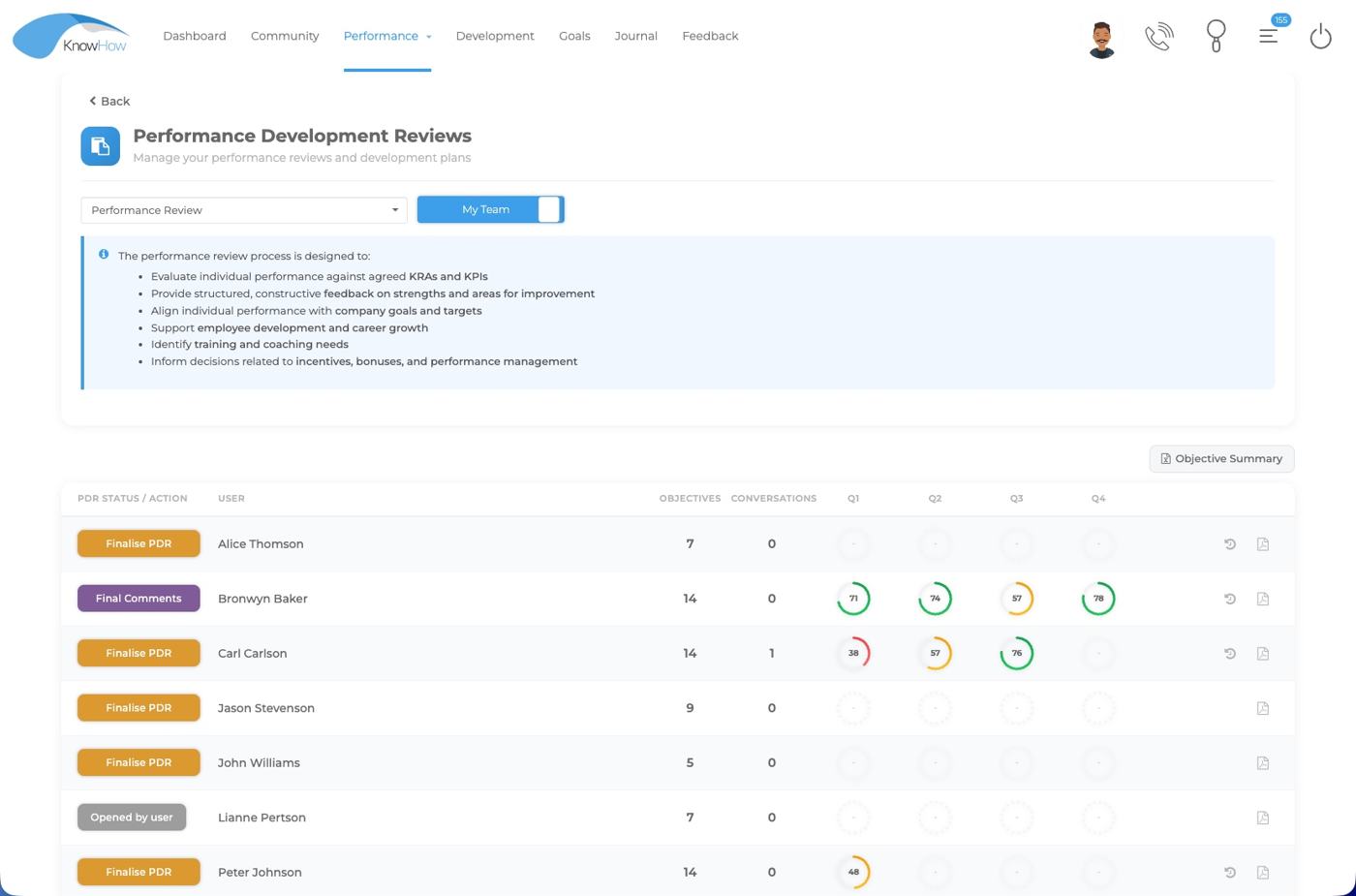
Performance conversations are stronger when objectives, behavioural competencies, feedback and development actions are managed within a consistent workflow.
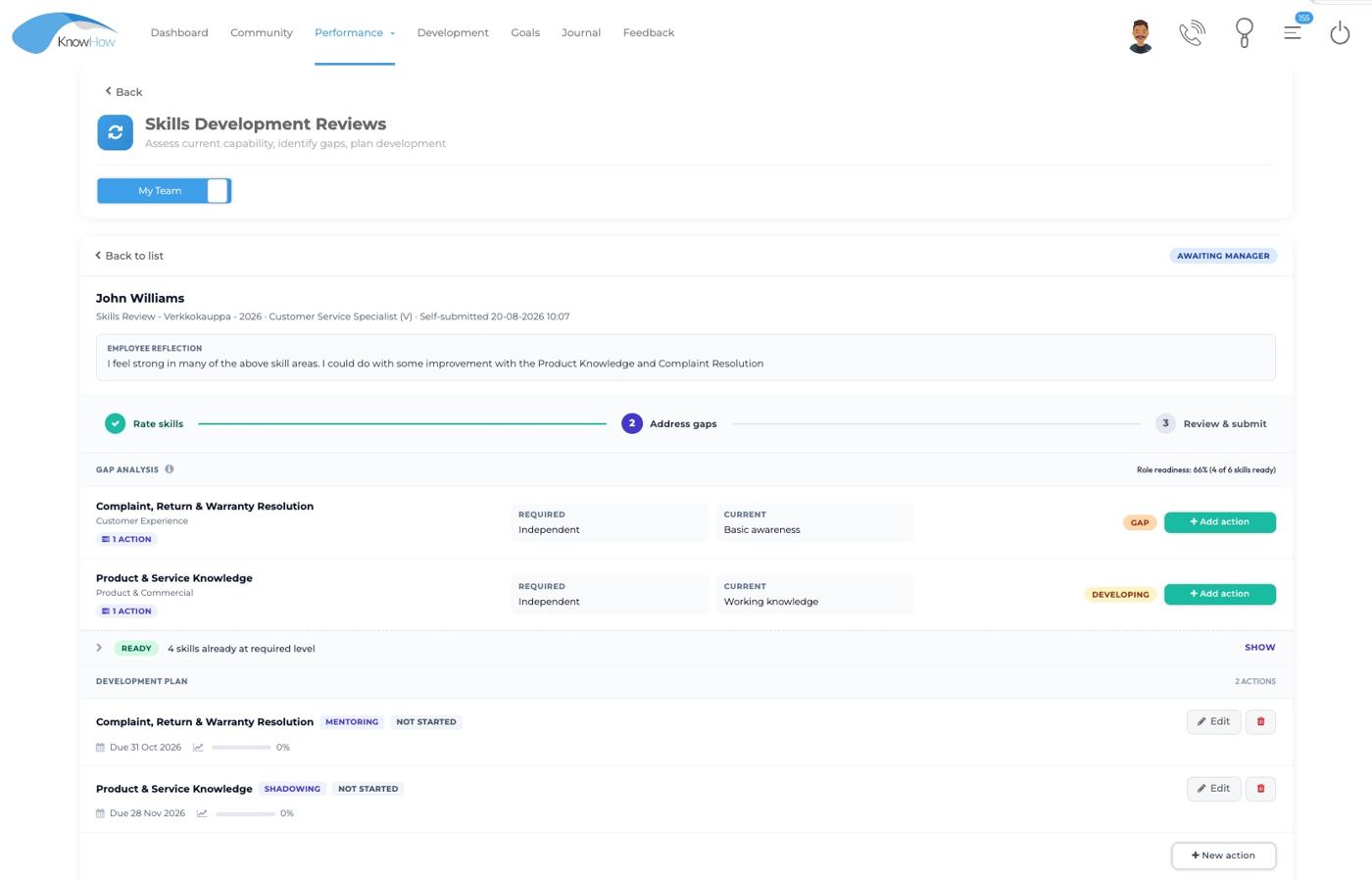
A skills framework becomes more valuable when role expectations, assessments, gaps and development plans can be viewed as part of the same process.
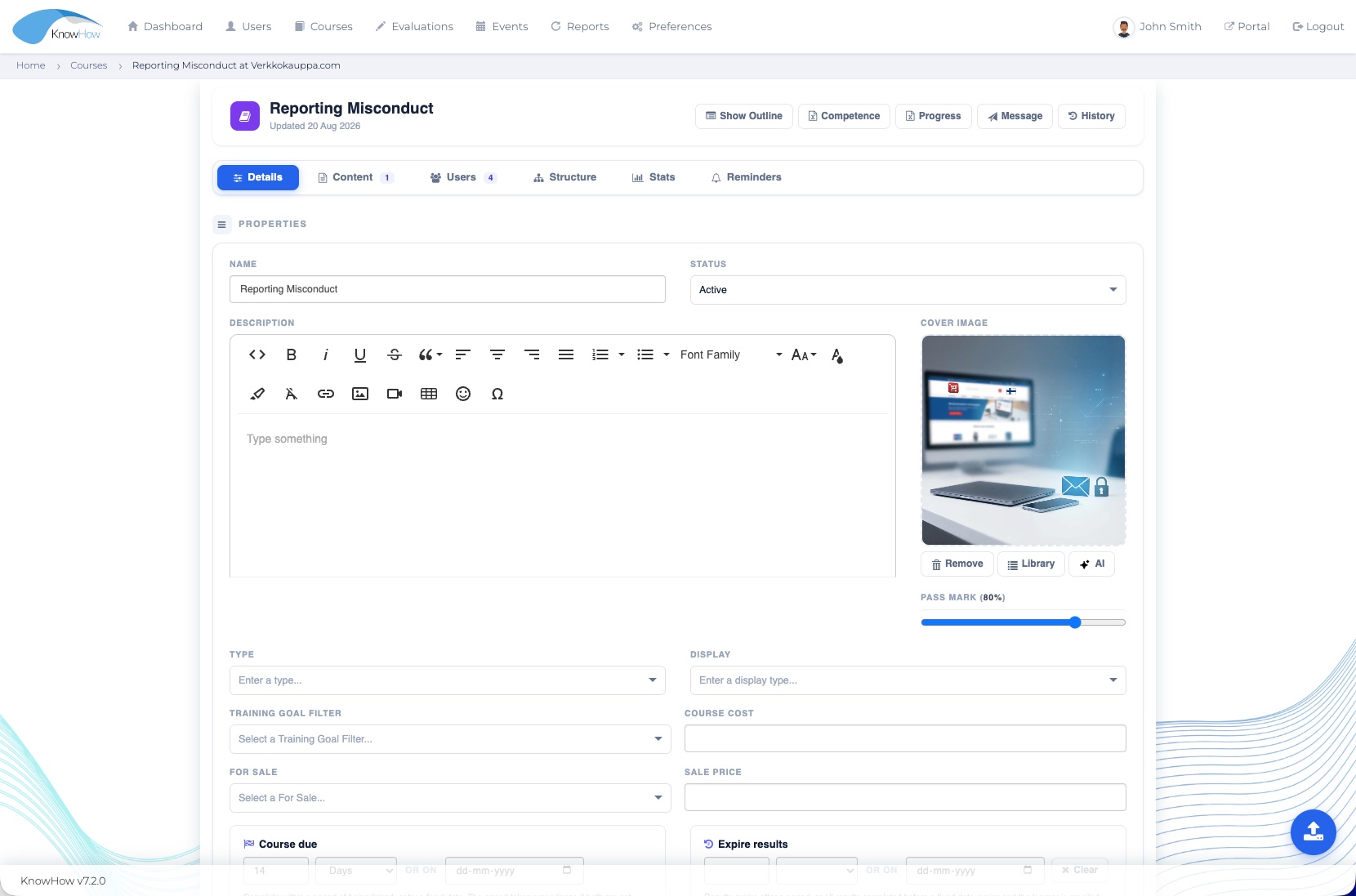
Development does not happen only in online courses. Classroom sessions, webinars, practical activity, assessments and follow-up often need to work together.
One connected platform underneath
Each starting point brings together the KnowHow capabilities most relevant to the organisational need while keeping the same connected platform underneath.
A practical starting approach
Start with the outcome you want to improve. KnowHow can then bring together the capabilities that best support that priority, with the flexibility to adapt and expand as your needs evolve.
Start with the outcome, users, current process and pain points rather than a pre-selected list of features.
Identify the existing KnowHow capabilities that support the priority and how they need to work together.
Confirm structures, roles, workflows, reporting, integrations and implementation requirements during discovery.
From solution to demonstration
A tailored demonstration can focus on the relevant workflows and roles rather than taking you through every feature in the platform.
 Book a demo
Organisations rarely begin with a feature list. They begin with a need — to onboard people consistently, strengthen performance, manage compliance, build capability or make development easier to coordinate. KnowHow brings the relevant capabilities together in one configurable environment.
Choose the need that is closest to your current priority. Each solution can draw on multiple parts of the KnowHow platform — without creating another disconnected system.
KnowHow can be configured around different business units, regions, reporting lines, permission profiles and local learning priorities while keeping the wider development environment connected. Exact structures, integrations and governance are confirmed during discovery.
Reflect different parts of the organisation without creating disconnected learning environments.
Give employees, managers, HR/L&D and administrators views aligned to their responsibilities.
Support different workflows or priorities while retaining agreed organisational control.
Confirm SSO, employee data and hierarchy requirements as part of the implementation model.
Select a starting point to see the organisational challenge, the practical response and the existing KnowHow capabilities that can support it.
When onboarding is fragmented across emails, documents and informal handovers, consistency and visibility become difficult to maintain.
Learning becomes more useful when employees, managers and development teams can connect activity to roles, goals and ongoing development priorities.
Compliance programmes need more than content delivery. They also need targeting, assessment, completion visibility, evidence and reliable administration.
Performance conversations are stronger when objectives, behavioural competencies, feedback and development actions are managed within a consistent workflow.
A skills framework becomes more valuable when role expectations, assessments, gaps and development plans can be viewed as part of the same process.
Development does not happen only in online courses. Classroom sessions, webinars, practical activity, assessments and follow-up often need to work together.
Each starting point brings together the KnowHow capabilities most relevant to the organisational need while keeping the same connected platform underneath.
Start with the outcome you want to improve. KnowHow can then bring together the capabilities that best support that priority, with the flexibility to adapt and expand as your needs evolve.
Start with the outcome, users, current process and pain points rather than a pre-selected list of features.
Identify the existing KnowHow capabilities that support the priority and how they need to work together.
Confirm structures, roles, workflows, reporting, integrations and implementation requirements during discovery.
A tailored demonstration can focus on the relevant workflows and roles rather than taking you through every feature in the platform.
Onboarding, compliance, performance, skills, development or another organisational need.
See the capabilities and roles most relevant to the problem rather than a generic product tour.
Discuss configuration, integrations, implementation and any organisation-specific requirements.